
TouchShow CMS
Your screens. Your content. One place.
Digital signage software for every business: manage menus, offers and ads on every TV screen from one website, play them on any Android TV and prove every play.
See TouchShow CMS live at touchshow-cms.web.app, or book a demo and see your own content on your own TV in minutes.
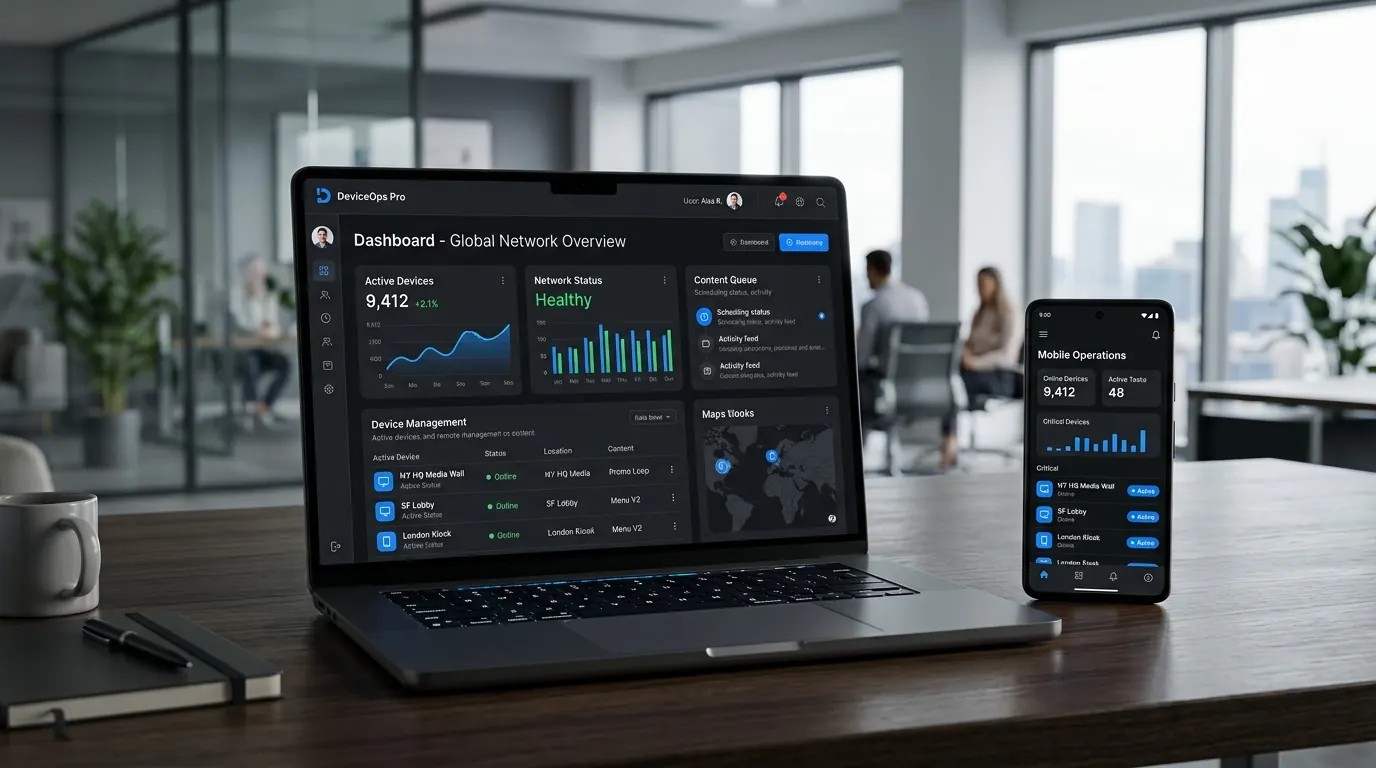
Manage every screen from any browser
Everything happens on one website that works on your phone, tablet or computer.
Screens dashboard
- Online / offline status, last seen
- Search, sort, filter by status or group
- Update all screens in one click
- Storage, app version, last problem
Add a screen
- 6-digit pairing code from the TV
- Name, orientation, group in one step
- Plan usage shown (e.g. 6 of 10 screens)
- Ready in about 30 seconds
Playlist editor
- Drag & drop; 1–30 s per photo
- Videos play in full; live preview
- Shuffle, clear, undo; copy to screens
- Save: live in seconds, never blank
Zones & ticker
- Up to 4 zones, own playlist each
- Drag, resize or type position in %
- Ticker: 500 characters, top / bottom
- Ticker height, speed and colours
Scheduling
- Per file: days, hours, date range
- Breakfast, weekend, festival offers
- Past-midnight windows
- Always India time
Transitions & fit
- None, Fade, Slide, Zoom, Flip
- Length 0.1 to 3 seconds
- Whole or stretched photos / videos
- "No transition for videos" option
Groups
- One playlist, many screens
- One save updates every outlet
- Tick screens in or out
- Screens keep content if a group goes
Google Drive library
- Your own Drive folder, 15 GB free
- Thumbnails, length, size, search
- Add many files to many screens
- JPEG, PNG, WebP, GIF, MP4, WebM
Monitoring
- Alerts: offline, problems, missing files
- Activity log of every change
- File management per TV
- Red alert count in the menu
Account & access
- Secure login, password reset
- Each business sees only its own data
- Light / dark theme
- Works on phone, tablet, computer
TouchShow Player for Android TV
Auto-start
Opens itself after power-on
Home launcher
Opens right after the boot logo
Plays offline
Saved copies, never a blank screen
Smart downloads
Only new or changed files, resumable
Live in seconds
Updates as soon as you press Save
Zones & ticker
Up to 4 zones plus moving text
Schedules
Days, hours and dates (India time)
Smooth video
No black screen between files
Any orientation
Automatic, or manual portrait / flipped
Remote control
OK: info panel · MENU: settings
Volume & mute
10% steps and mute from the remote
Easy pairing
6-digit code, turns for sideways TVs
Touch screens
Swipe in from the left edge
Proof of play
Logs every play, minute by minute
Live status
Online / offline shown on the website
Safe unpairing
Asks twice, wipes all content
Playback report: proof of play
Summary
Plays, files, screen hours, % online
Screens table
Plays and total time per screen
Content table
Plays and minutes per file
Offline time
Hours and exact time ranges
Files overview
Every file, with Open in Drive
File by file
First → last play, 24-hour strip
Activity by hour
Busiest hour, offline periods
Delivered as
Branded PDF, last 7 days, clickable
For owners
- Every campaign really ran
- Find offline screens fast
- Best hours for key content
For advertisers
- Proof of play per screen
- Bill by plays or screen hours
- Price prime hours higher
Plans managed by TouchXcel
Screen limits, reports and live status per plan, suspend / activate, support tools.
Secure and private
Own login per business, encrypted connection, data seen only by its owner.
Why businesses choose TouchShow CMS
Any Android TV or box: No proprietary player hardware
Proof of play: Detailed PDF reports for owners and advertisers
Google Drive storage: Free 15 GB per Google account, your files stay yours
Zones, ticker, schedules: Big-network features at small-business cost
Works offline: Content never stops when the internet does
Made for India: India-time schedules and local support from TouchXcel
Used by
Not quite the right fit? See the other TouchShow products
Get A Professional Quote
Ready to elevate your enterprise display experience? Send our sales engineers a brief message. We respond with a full architectural review and formal quote in under 4 business hours.
Contact Information
Our sales and engineering teams are available during regular business hours to assist with hardware specifications, quotes, and deployment planning.
Enterprise Communications
[email protected]
Direct Hotline & WhatsApp
+91 9211562762
Company Office
Old Rajinder Nagar, New Delhi 110060
Business Hours
Monday – Saturday, 11:00 AM – 9:00 PM IST