
QueueShow Offline
Calm waiting rooms, without the internet.
Visitors take a printed token at the kiosk, staff call the next person, and the TV shows the number. A complete token system for clinics and service counters that runs on your own Wi‑Fi.
Sunrise Family Clinic
Baner, Pune
Dental – Room 2
Your number
D005
Watch the screen
QueueShow
Sunrise Family Clinic
Baner, Pune
Dental – Room 2
Your number
D005
Watch the screen
QueueShow
How it works
Four screens, one simple flow.
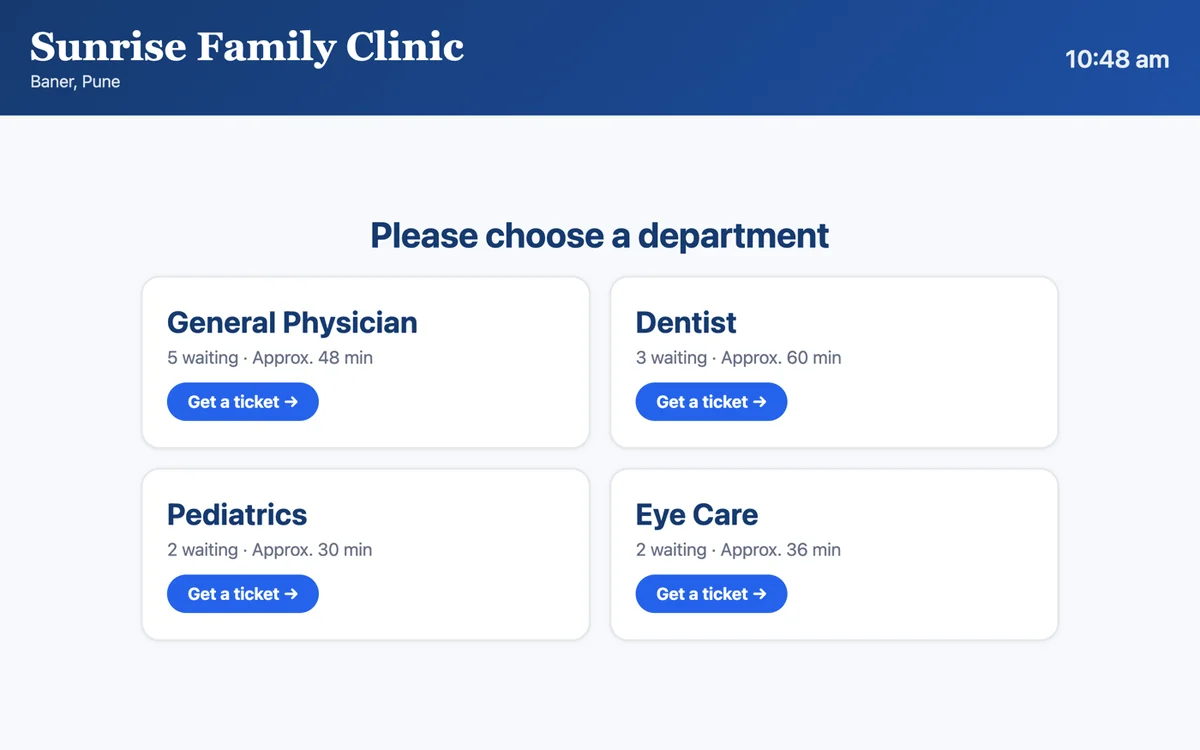
Visitor checks in
Picks a department on the kiosk and types name and mobile.
Sunrise Family Clinic
Baner, Pune
Dental – Room 2
Your number
D005
Watch the screen
QueueShow
Token prints
In about a second, from the printer at the kiosk.
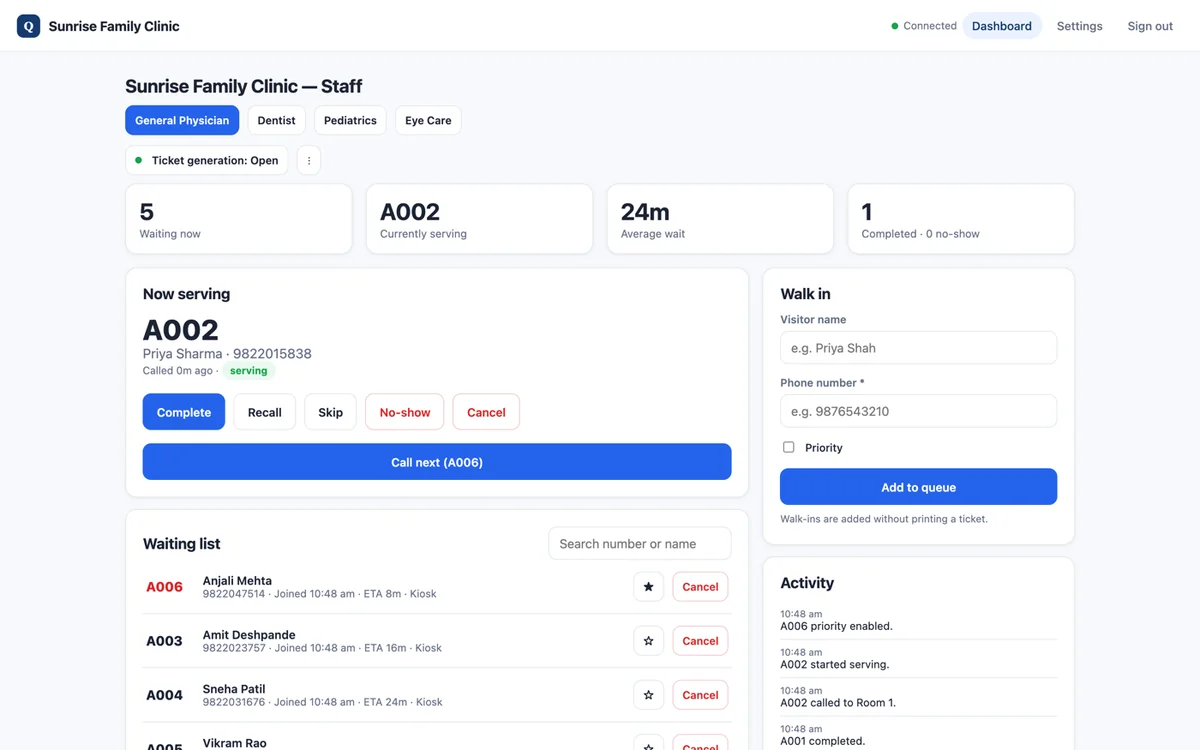
Staff call next
One tap on a tablet, phone or laptop.
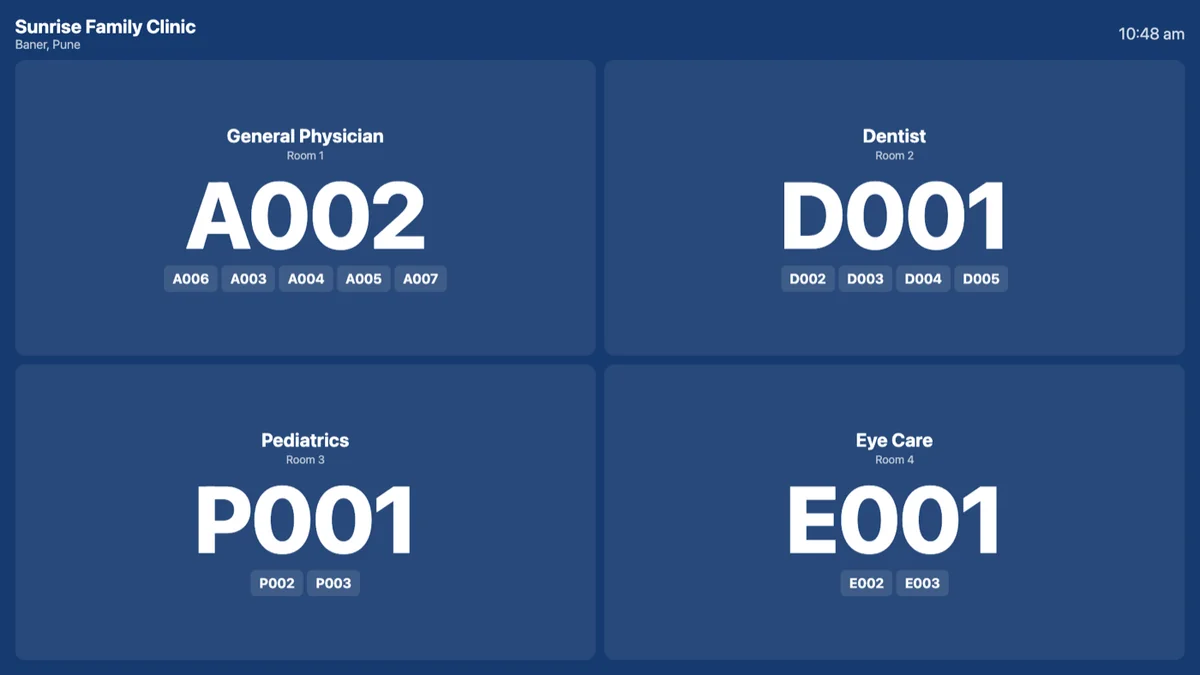
TV calls the number
With a chime, for every department.
Sunrise Family Clinic
Baner, Pune
Dental – Room 2
Your number
D005
Watch the screen
QueueShow
Sample token. Prints on 80mm or 58mm thermal paper.
This is what your visitors take home
Printed in about a second, the moment they check in at the kiosk.
- Big, bold token number
- Clinic, department and room
- Date, time, people ahead and expected wait
- Short ticket that saves paper
- If printing fails, the number shows on the kiosk screen
Your choice of printer
- 80mm or 58mm thermal paper
- With or without an automatic cutter
- Paper-out warning and one-tap reprint
Everything included
No add-ons, no extra charges.
Visitor kiosk
- Large touch screen, up to 4 departments
- Shows people waiting and wait time
- Just name and mobile number
- Closed message per department
Printed token
- Big, bold token number
- Department, room, people ahead
- Short ticket that saves paper
- Auto-cut or tear-off printers
Staff dashboard
- Call next, recall, skip, no-show
- Walk-ins and priority visitors
- Reprint any ticket
- Protected by a staff PIN
TV display
- Any Android TV or TV box
- One panel per department
- Huge “Now serving” number
- Chime and flash, up to 10 next numbers
Set up in 3 simple steps
No computer server and no internet connection.
Install the Kiosk app
On an Android touch tablet at the entrance. Pair the thermal printer once.
Open the staff dashboard
On any laptop browser on the same Wi‑Fi, or install the Staff app on a tablet.
Install the TV app
On any Android TV or TV box. It finds the kiosk and starts showing numbers.
All devices join your Wi‑Fi and find each other automatically. Ready in minutes.
Perfect for
What you need
- Android touch tablet (kiosk)
- Thermal receipt printer
- Android TV or TV box
- Any Wi‑Fi router
- Internet connection: not needed
Not quite the right fit? See QueueShow
Get A Professional Quote
Ready to elevate your enterprise display experience? Send our sales engineers a brief message. We respond with a full architectural review and formal quote in under 4 business hours.
Contact Information
Our sales and engineering teams are available during regular business hours to assist with hardware specifications, quotes, and deployment planning.
Enterprise Communications
[email protected]
Direct Hotline & WhatsApp
+91 9211562762
Company Office
Old Rajinder Nagar, New Delhi 110060
Business Hours
Monday – Saturday, 11:00 AM – 9:00 PM IST